🏆 Expert Verdict & Overview
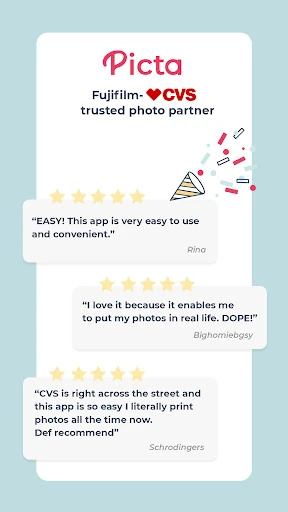
Picta x CVS Photo Print represents a highly efficient bridge between mobile photography and physical fulfillment. As a specialized utility in the photography landscape, it streamlines the traditionally cumbersome process of kiosk-based printing into a rapid, mobile-first experience. By leveraging the extensive CVS Pharmacy infrastructure, the app positions itself as a premier solution for users demanding immediacy and convenience. It successfully prioritizes a "frictionless" philosophy, allowing users to move from digital selection to a physical 4x6 print in under an hour, maintaining a professional standard that rivals dedicated photo labs.
🔍 Key Features Breakdown
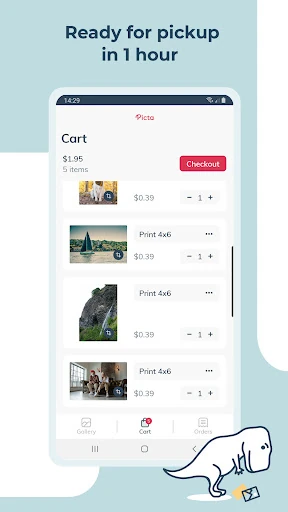
- Rapid Fulfillment Cycle: Provides a one-hour turnaround for most print orders, solving the problem of long shipping wait times associated with traditional online photo services.
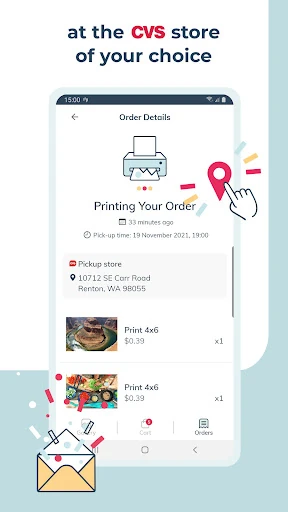
- Localized Store Integration: Features an enhanced CVS store locator that allows users to route orders to the most convenient branch for same-day pickup.
- Pay-in-Store Model: Removes the barrier of digital payment entry, allowing users to pay only when they physically inspect and collect their prints.
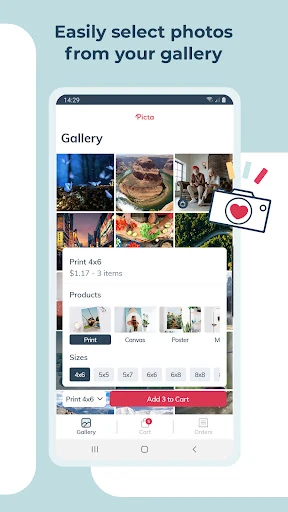
- Intuitive Composition Tools: Includes built-in crop and zoom functionality, ensuring that mobile aspect ratios are correctly adjusted for standard print sizes like 4x6, 5x7, and 8x10.
- Expanded Product Catalog: Goes beyond standard prints to offer custom magnets, greeting cards, and seasonal invitations, transforming a phone gallery into a gift-giving tool.
🎨 User Experience & Design
The UI of Picta x CVS Photo Print is strictly utility-driven, focusing on a minimalist conversion funnel. By organizing the user's mobile gallery by date, the app minimizes the cognitive load required to find specific memories. The design language is clean and follows standard Android navigation patterns, making it accessible for users across all tech-fluency levels. While it lacks the high-end aesthetic of creative editing suites, its functional design excels in guiding the user from photo selection to order confirmation in a matter of seconds, which is the primary KPI for this category.
⚖️ Pros & Cons Analysis
- ✅ The Good: Exceptional speed with an estimated one-hour pickup time for most orders.
- ✅ The Good: No credit card required upfront, significantly lowering the barrier to entry.
- ✅ The Good: High-quality glossy paper output through professional CVS photo centers.
- ❌ The Bad: Limited to the CVS ecosystem, which may not be ideal for users in regions without nearby branches.
- ❌ The Bad: Basic editing features; users looking for advanced color correction or filters must use a secondary app.
🛠️ Room for Improvement
To further elevate the user experience, the app could benefit from deeper integration with cloud storage providers such as Google Photos or Dropbox, reducing the reliance on local device storage. Additionally, introducing a broader range of "quick-fix" AI enhancement tools—such as automatic brightening or noise reduction—would add significant value for users printing candid mobile shots that may suffer from poor lighting.
🏁 Final Conclusion & Recommendation
Picta x CVS Photo Print is the definitive tool for the "instant gratification" demographic—specifically busy parents, last-minute gift seekers, and photography hobbyists who value speed over complex editing. It excels at its singular mission: getting photos off a screen and into a frame as quickly as possible. For anyone looking for a reliable, no-cost-upfront way to print memories, this app is a highly recommended addition to their photography folder.