🏆 Expert Verdict & Overview
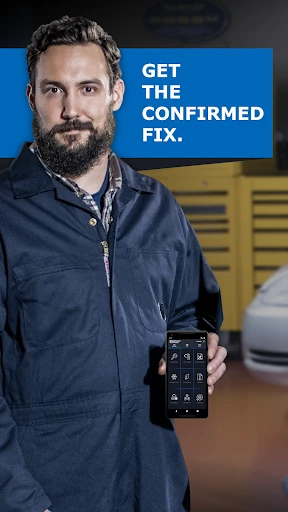
The BlueDriver OBD2 Scan Tool stands as a benchmark in the Auto & Vehicles mobile ecosystem, effectively bridging the gap between casual consumer tech and professional-grade automotive diagnostics. By leveraging a proprietary Bluetooth sensor, the app transforms mobile devices into sophisticated diagnostic hubs. It is not merely a code reader; it is a comprehensive vehicle health management system that brings transparency to the often-opaque world of automotive repair, making it a dominant player in the digital car-care space.
🔍 Key Features Breakdown
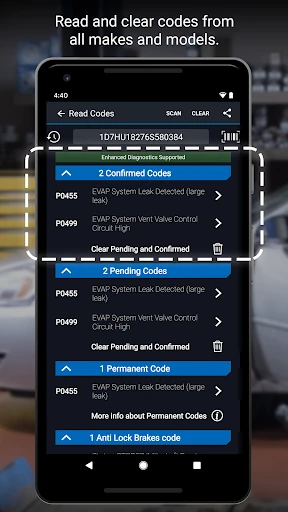
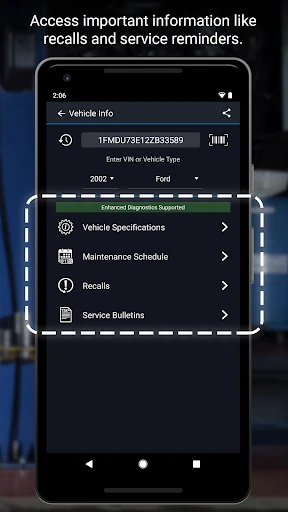
- Comprehensive Diagnostic Suite: Beyond standard Check Engine lights, it accesses advanced modules like ABS, Airbag, and Transmission, providing a holistic view of vehicle health that most generic apps miss.
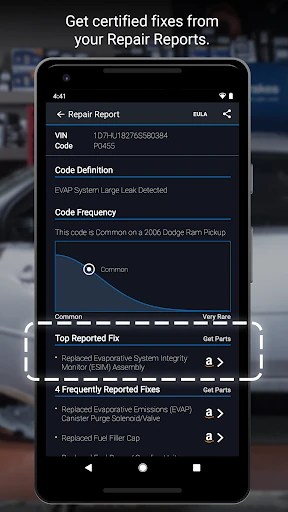
- Verified Repair Reports: It cross-references trouble codes with a database of millions of real-world fixes, giving users actionable solutions rather than just cryptic alphanumeric codes.
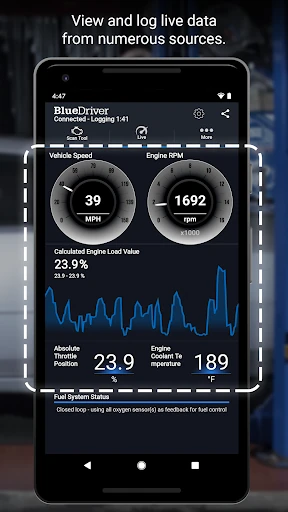
- Interactive Live Data: Users can monitor engine performance in real-time through multi-PID graphing, which is essential for diagnosing intermittent faults that do not trigger a permanent code.
- Smog Readiness Monitoring: This feature allows drivers to verify if their vehicle meets emissions standards before heading to an inspection, saving time and potential re-test fees.
🎨 User Experience & Design
The UI design of BlueDriver prioritizes utility and readability, which is critical for an app intended for use in garages or roadside environments. The interface avoids unnecessary clutter, utilizing high-contrast elements and clear typography to ensure visibility under various lighting conditions. Navigation is logical, allowing users to move from a scan to a detailed repair report with minimal friction. The graphing tool for live data is particularly well-executed, offering interactive elements that make complex sensor data digestible for both professionals and DIY enthusiasts.
⚖️ Pros & Cons Analysis
- ✅ The Good: Zero subscription fees; the app and its database updates remain free after the initial sensor purchase, offering high long-term value.
- ✅ The Good: Highly specific "Likely Fix" suggestions tailored to the exact year, make, and model of the vehicle rather than generic advice.
- ❌ The Bad: Hardware Dependency; the app is non-functional without the specific proprietary BlueDriver Bluetooth Sensor, preventing the use of third-party adapters.
- ❌ The Bad: Regional Restrictions; enhanced diagnostic coverage for certain brands like Volkswagen, Audi, and BMW is currently limited to the North American market.
🛠️ Room for Improvement
While the feature set is robust, expanding the "Enhanced Diagnostics" coverage to include full global support for European and Asian manufacturers would significantly elevate the app's utility for international users. Additionally, integrating a localized repair cost estimator within the Repair Reports could provide users with a more comprehensive financial picture before they commit to a DIY fix or visit a mechanic.
🏁 Final Conclusion & Recommendation
BlueDriver OBD2 Scan Tool is a must-have for DIY mechanics, tech-savvy drivers, and semi-professional technicians who require professional-grade data without the recurring fees of high-end scanners. It successfully demystifies complex automotive issues through a clean, user-friendly interface. It is highly recommended for any car owner with a vehicle built after 1996 who wants to ensure their vehicle's longevity and avoid unnecessary repair costs.